In this project I was able to further the implementations I practiced in Project 3-1 and apply them to additional different materials for rendering! I chose to stick with (for submission purposes) more complicated materials, such as glass, mirror, and microfacet. Hopefully in my free time I will implement the rest of the project! (Hence: I chose to implement Parts 1 and 2). I think it was really cool to be able to see how the only real difference between rendering different materials was the math involved in calculating angles, and whether to reflect or refract, and so on; rather than some other super complicated logic that I would have otherwise expected.
Part 1: Mirror and Glass Materials
This portion involved implementing reflection and refraction methods, as seen in lecture slides, utilizing Snell’s law and Schlick’s refraction coefficient estimates. Some issues that I ran into involved my glass sphere having a duplicate reflection (or more) of the light underneath the original reflection, as well as erroneous lighting. Both of these were easily fixed by making sure I was putting parentheses in the right place (and having enough of them!).

|
|
|
|
|
|
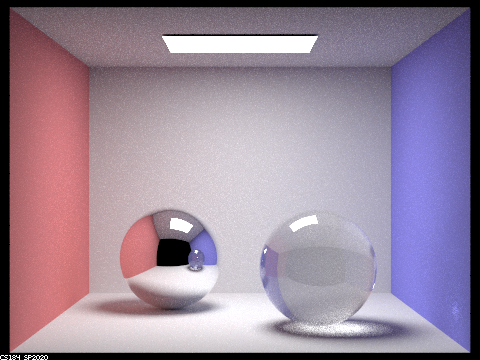
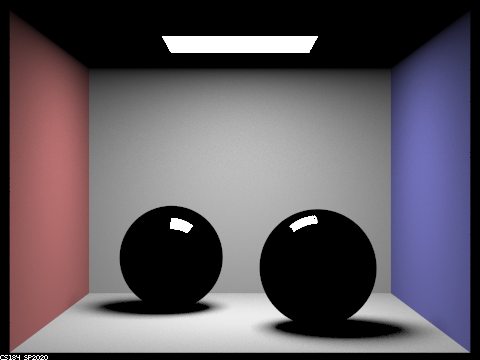
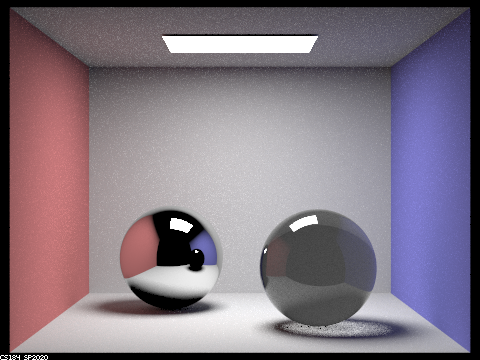
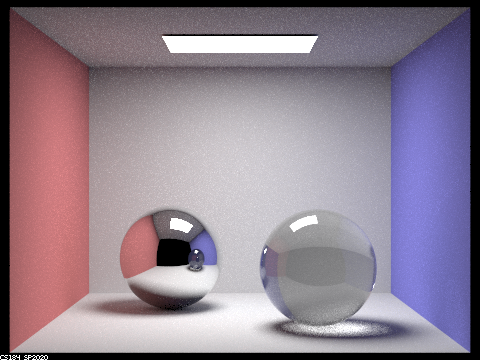
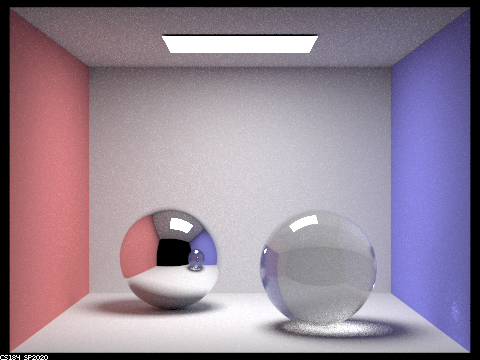
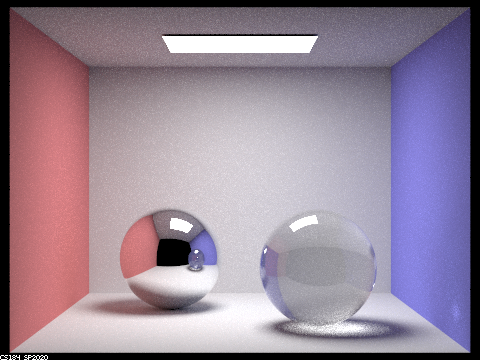
Here, we see renders of CBspheres.dae at 256 samples per pixel, 4 samples per light, and max ray depths of 0, 1, 2, 3, 4, 5, and 100, sequentially. When depth is 0, there is nothing visible except for the light box itself, as no rays have been bounced yet. Depth 1 is direct lighting, revealing the shape of the spheres and single reflections of the point source lights. Depth 2 gets interesting, as we now see the mirror ball reflecting the scene around it, and the glass ball has its initial rays of light going through it. The rest of the photos show a continuously brightening image, because as more light is bounced through the scene, both the mirror and glass balls are reflecting and refracting, respectively, more light. An interesting thing to note is that because the mirror ball is reflecting, it is always reflecting a previous image of the glass ball. In other words, at ray depth n, the mirror ball shows a reflection of glass ball at ray depth n-1. This is most apparent in the images from ray depths 2 and 3, where at depth 2, the mirror ball is reflecting the dark glass ball from depth 1, and so on.
Part 2: Microfacet Materials
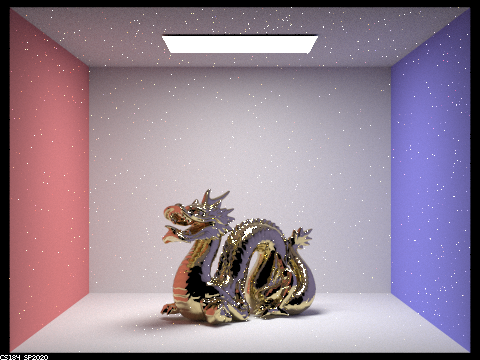
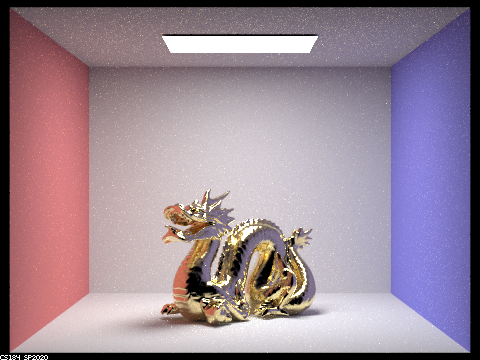
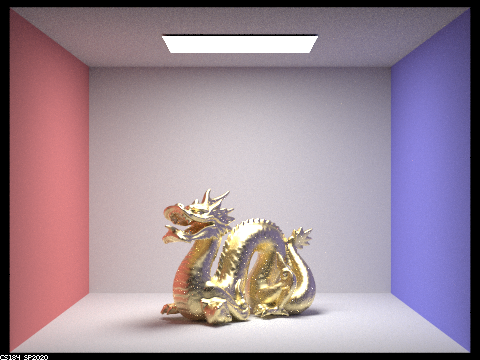
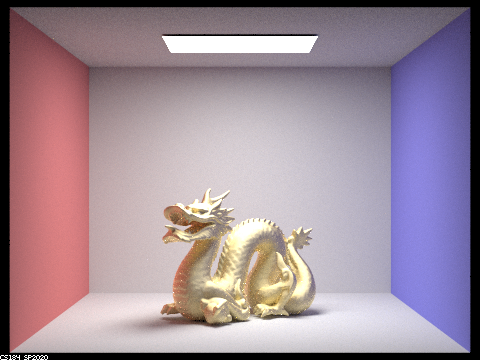
This portion involved implementing lots of precalculated math in order to see how different alpha values could affect the “roughness” and/or smooth/glossiness of a material. I followed along with the specs and the slides and the process was pretty straightforward. Some issues that I ran into were not knowing how to “combine” the theta and phi values calculated until I realized they were the angles of the half-vector and extracting the sin/cos values appropriately was all that was required, and also a bug in my importance sampling function, where I was reflecting wo by the normal vector n and not the half-vector. Adjusting these two code snippets fixed my problems and the rest ran smoothly. Below are renderings of CBdragon_microfacet_au.dae with 256 samples per pixel, 4 samples per light, max ray depth of 7, and alpha values of 0.005, 0.05, 0.25, and 0.5, sequentially. Notice how the smaller the alpha value, the glossier and more mirror-like the dragon, and the larger the alpha the rougher/more Lambertian the dragon.
|
|
|
|
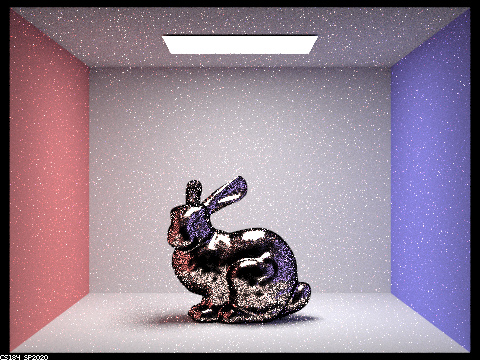
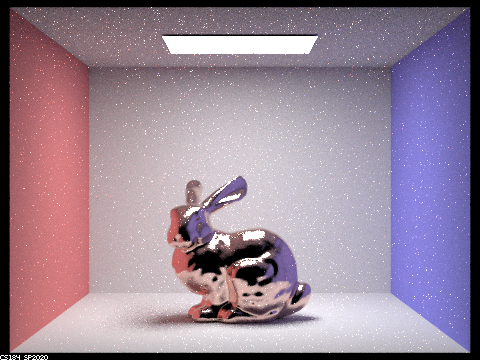
Below are comparisons of CBbunny_microfacet_cu.dae at 64 samples per pixel, 1 sample per light, and max ray depth of 7, using the default Uniform Hemisphere Sampling, and the Importance Sampling method I implemented. It is interesting to see how hemisphere sampling does okay on areas with less difference in lights/reflection, such as the bunny’s back, however fails to pick up most of the variations in reflectivity of the stomach area, where the light changes more dramatically from pixel to pixel.
|
|
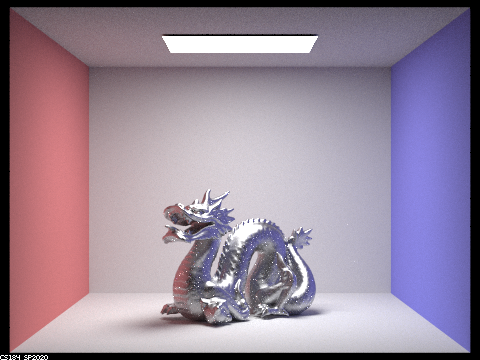
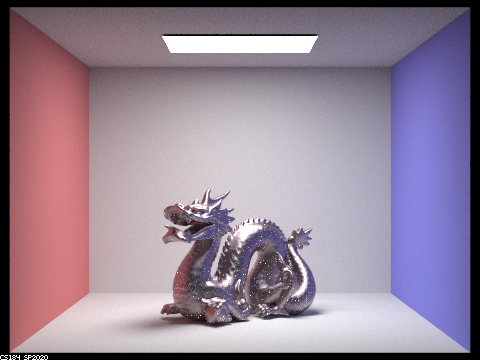
Below are renderings of CBdragon_microfacet_au.dae at 256 samples per pixel, 4 samples per light, alpha equal to 0.25, and max ray depth of 7, with the eta and etaK refractive values replaced for Chromium (Cr) and Purple Plague (AuAl2) effects, respectively.
|
|